

Download Hotstar – Free streaming, live sports, Disney+ content
Overview
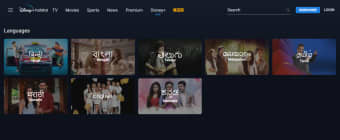
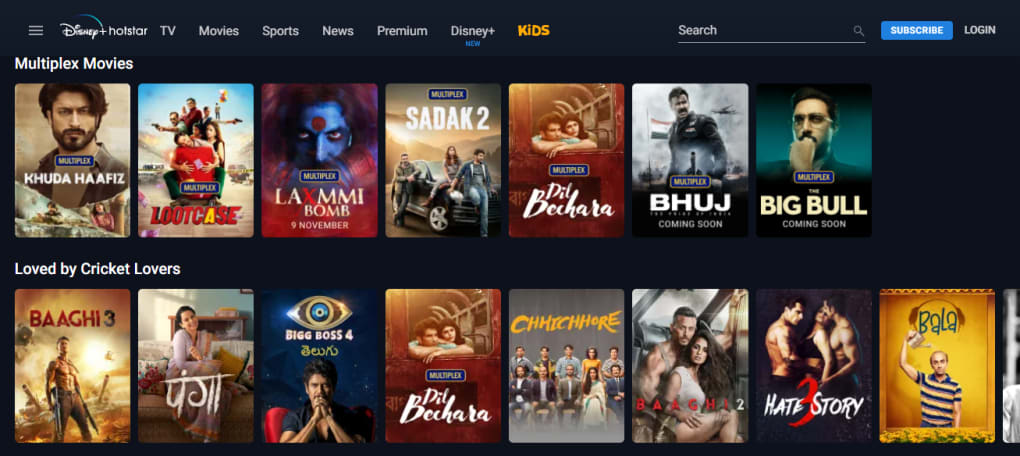
Hotstar, owned by Novi Digital Entertainment Private Limited, is one of India’s most talked‑about video streaming platforms. The app aggregates more than 10,000 hours of television shows, movies, and sports across nine Indian languages, while also delivering the global catalog of Disney, Pixar, Star Wars, and Marvel through its Disney+ Hotstar integration. Users can choose between a free tier that offers ad‑supported access to a rotating selection of popular series and highlights of major sporting events, and two premium tiers—VIP and Premium—that unlock live sports such as the IPL, Premier League, and Formula 1, plus unlimited on‑demand content from Hollywood, Disney, and regional creators.
The interface mirrors the familiar Netflix layout: large thumbnails, auto‑play previews, and a “Continue Watching” row that remembers where you left off. A built‑in chat feature for live sports lets fans interact with friends while the game streams. While the content library is undeniably massive, many reviewers note that even premium subscribers often experience lower‑than‑expected video and audio quality, occasional buffering, and slow start‑up times despite a stable internet connection.
In short, Hotstar provides a compelling mix of local and international entertainment, but its playback performance sometimes falls short of the competition.
Key Features, Pros & Cons, and Compatibility
- Extensive library of TV shows, movies, and regional content in nine languages.
- Live streaming of major sports events – IPL, Premier League, Formula 1, and more.
- Disney+ integration delivering Disney, Pixar, Star Wars, and Marvel titles.
- Two premium subscription levels (VIP and Premium) with ad‑free, HD streaming.
- Personalized recommendations based on viewing history.
- “Continue Watching” and auto‑play previews for a seamless binge‑watch experience.
- In‑app chat for live‑sports commentary with friends.
- Multi‑device support: Android, iOS, Windows, macOS, Smart TVs, and streaming sticks.
- Download‑for‑offline viewing on mobile devices.
- Regular content updates and seasonal specials.
Pros
- Huge mix of local and international titles, including exclusive Disney+ content.
- Live sports coverage that is rare on other Indian OTT platforms.
- User‑friendly UI that mirrors industry leaders like Netflix.
- Flexible pricing with a free tier and two premium options.
- Multi‑language subtitles and dubbing for broader accessibility.
Cons
- Premium users often report lower video/audio quality compared to rivals.
- Frequent buffering and long load times, even on fast connections.
- Occasional playback failures that require app restarts.
- Ads on the free tier can be intrusive and disrupt binge sessions.
- Limited content curation outside of the massive library; discovery can feel overwhelming.
Hotstar is available on Android 5.0 or higher, iOS 11 or newer, Windows 10, macOS 10.13+, as well as on popular smart‑TV platforms (Samsung Tizen, LG webOS, Android TV) and streaming devices such as Chromecast, Fire TV, and Apple TV. The app automatically adjusts streaming quality based on bandwidth, but users can manually select SD, HD, or 4K (where supported) in the settings menu.
Installation, Usage Guide and Frequently Asked Questions
Getting started with Hotstar is straightforward. Follow these steps:
- Visit the Google Play Store (Android) or Apple App Store (iOS) and search for “Hotstar”. Click “Install” and wait for the download to finish.
- Open the app and tap “Sign Up”. You can register using a mobile number, email address, or social media account.
- After verification, choose your subscription plan: Free, VIP, or Premium. Payment can be made via credit/debit card, UPI, net banking, or carrier billing.
- Customize your profile by selecting preferred languages and setting parental controls if needed.
- Browse the home screen – featured content is displayed in large tiles, while personalized suggestions appear below.
- To watch live sports, navigate to the “Sports” tab, select the event, and hit “Watch Live”. Use the chat icon to join the conversation.
- For offline viewing, tap the download icon on any movie or series episode; the file will be stored securely on your device.
- Adjust streaming quality in Settings → Video Quality. Choose “Auto” for adaptive streaming or manually select SD/HD/4K.
Is Hotstar available outside of India?
Hotstar’s core library is primarily targeted at Indian audiences, but the Disney+ Hotstar Premium tier is available in several Southeast Asian countries and the United States, offering a curated selection of international titles.
Can I watch live sports on the free version?
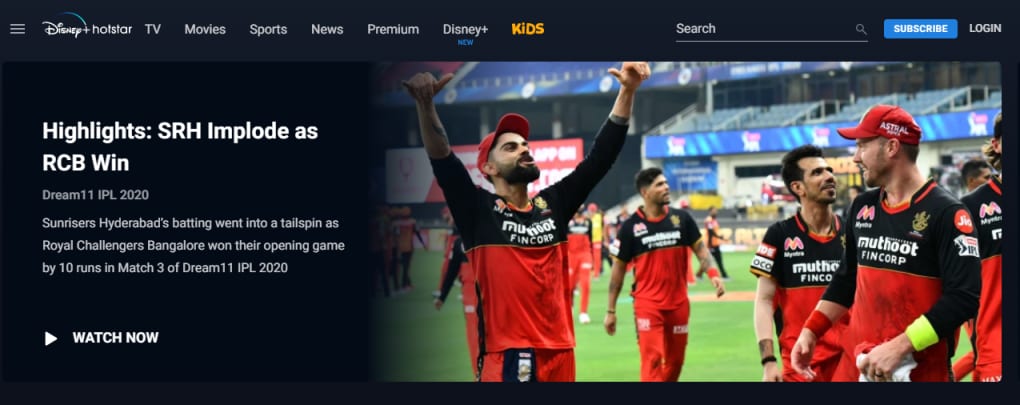
The free tier provides only highlights and short clips of live events. Full live streaming, including IPL and Premier League matches, requires at least the VIP subscription.
How does Hotstar handle subtitles and dubbing?
Most titles include subtitles in multiple Indian languages and English. Disney+ content also offers dubbed audio tracks in Hindi, Tamil, Telugu, and Malayalam, which can be switched from the player’s audio menu.
Why does Hotstar sometimes buffer even on a fast connection?
Buffering can be caused by server load during high‑traffic events (e.g., IPL finals), sub‑optimal CDN routing, or the app’s default quality settings. Switching to a lower bitrate manually often resolves the issue.
Is it possible to cancel my Hotstar subscription?
Yes. Go to Settings → Subscription → Manage Subscription, then select “Cancel”. The cancellation takes effect at the end of the current billing cycle, and you will retain access until that date.
Conclusion – Should You Download Hotstar?
Hotstar stands out in the crowded Indian OTT market by bundling an expansive library of regional TV shows, Bollywood movies, and Disney+ originals with live coverage of the country’s most beloved sports. For users who crave a single app that delivers everything from cricket highlights to Marvel blockbusters, Hotstar is undeniably convenient. The free tier is generous enough for casual viewers, while the VIP and Premium subscriptions unlock ad‑free HD streaming and exclusive live events.
However, the platform’s technical shortcomings—noticeable dips in video quality, occasional buffering, and slower content loading—can detract from an otherwise rich entertainment experience. If you prioritize flawless playback and a polished UI above all else, you might find Netflix, Amazon Prime Video, or Disney+ (stand‑alone) more reliable. On the other hand, if you value the breadth of content, especially live Indian sports, and are willing to tolerate occasional hiccups, Hotstar offers a compelling value proposition at a competitive price.
Ready to explore the world of Indian entertainment and global hits in one place? Download Hotstar now and start streaming instantly—whether you’re chasing the next cricket showdown or binge‑watching the latest Disney series.
Hotstar provides an impressive mix of local and international content with solid live‑sports coverage. The free tier is generous, and the premium plans are reasonably priced. Playback performance, however, is inconsistent, and users may encounter buffering during peak times. Overall, it’s a good choice for Indian audiences who want everything in one app, but it falls short of the seamless experience offered by some global competitors.



.png)



